
Works with Pardot
Pardot email templates, branded for your business
Start from templates already in your logo and colors, edit them with drag and drop, then push them straight into Salesforce Account Engagement (Pardot) as an email template.
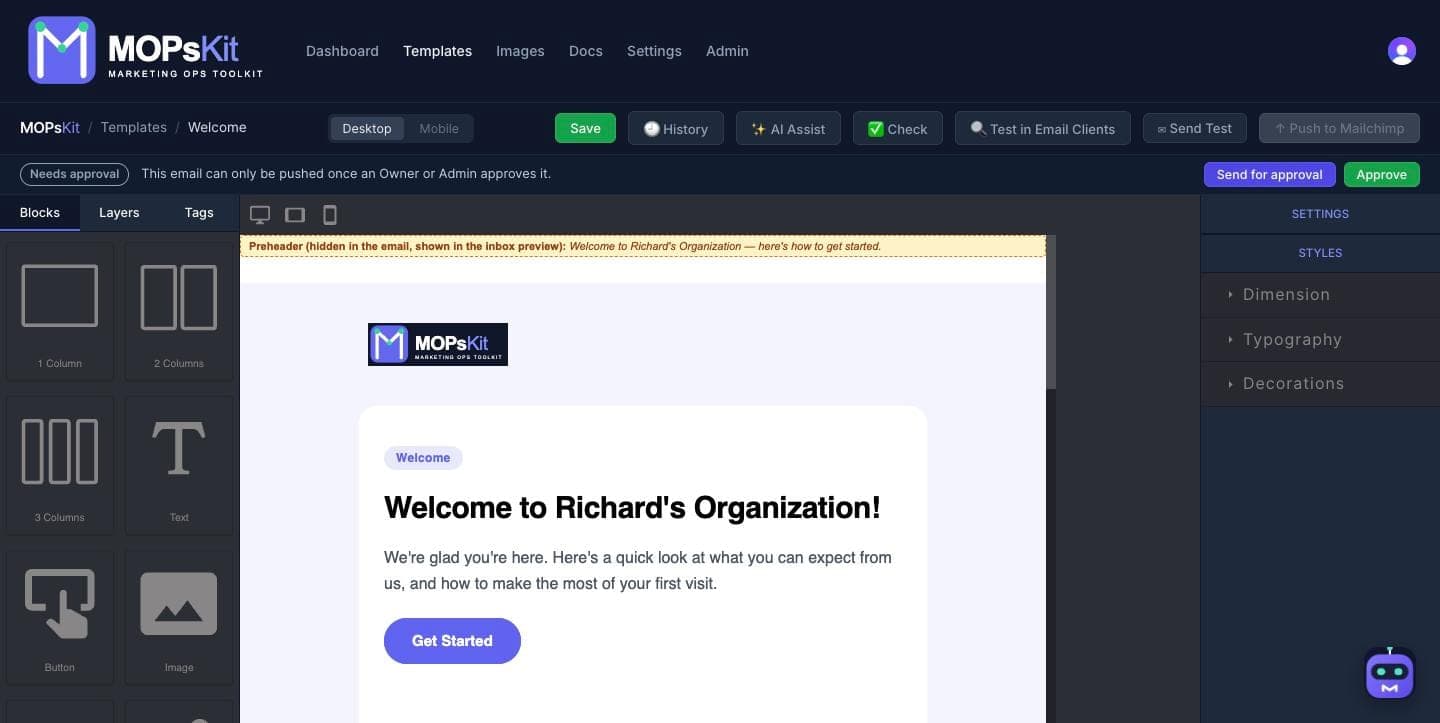
From your brand to Pardot in three steps
Connect Pardot
Your Salesforce admin creates a local External Client App (MOPsKit shows each step), pastes its consumer key and secret into MOPsKit, then signs in with Salesforce and picks the business unit.
Build your email
Your starter templates arrive in your logo and colors. Change anything with drag and drop, or ask AI Assist for the copy.
Push in one click
Send the finished email to Pardot from the editor. MOPsKit checks links, images and merge tags first.
How it lands in Pardot
As an Account Engagement email template
Choose the campaign, subject line, sender and tracker domain, and pick where it can be used: list emails, one-to-one emails, autoresponders or Engagement Studio. A plain-text version is created for you.
MOPsKit never sends anything. Templates and drafts wait in Pardot until you send them.
Pardot merge tags, added for you
Pick a tag in the editor and it's written in Pardot's own format.
| Inserts | Pardot tag |
|---|---|
| First name | {{Recipient.FirstName}} |
| Last name | {{Recipient.LastName}} |
| {{Recipient.Email}} | |
| Company name | {{Organization.Name}} |
| Mailing address | {{{Organization.Address}}} |
| Unsubscribe link | {{Unsubscribe}} |
| Email preference center | {{EmailPreferenceCenter}} |
| View online | {{View_Online}} |
Also included
Templates in your brand
12 starters with your logo and colors, on every plan.
Pre-send check
Broken links, missing alt text and stray merge tags caught before every push.
Import what you have
Bring emails from Beefree, RGE Studio, Stripo, Unlayer or MJML.
AI copy and Mo
Copy from a brief with your own AI key. Mo builds whole emails on Pro and Business.
Pardot questions
Does MOPsKit send my emails?
No. MOPsKit saves the email template into Account Engagement, and you build and send the list email, autoresponder or Engagement Studio program from there as usual.
Which MOPsKit plan do I need for Pardot?
Pushing to Account Engagement is on every paid plan, from Starter at $25 a month. On the Free plan you can export the HTML and paste it into Pardot yourself.
Why do I need to create an External Client App?
Salesforce no longer allows new Connected Apps, so each Salesforce org connects MOPsKit through its own local External Client App. A Salesforce admin sets it up once in about ten minutes, following the steps shown in MOPsKit's Settings, and nothing needs installing from AppExchange.
Does it work with sandboxes and Developer Edition orgs?
Yes. Choose Production, Sandbox, or Developer Edition or training org when you connect. If your org has more than one Account Engagement business unit, you pick which one MOPsKit pushes to.
Do I need an unsubscribe link?
Yes. Account Engagement won't save a template without one, so MOPsKit checks before each push. The starter templates' footers are filled in with {{Unsubscribe}} and your mailing address automatically.
Do I have to convert my old %%variable%% tags?
No. Legacy Pardot variable tags such as %%first_name%% and %%unsubscribe%% are converted to Handlebars Merge Language (HML), which Salesforce recommends, and the editor's Tags panel adds HML tags in one click.
Your first branded Pardot email, in minutes
Free to start, no card needed. Push to Pardot from $25 a month.