
Works with Mailchimp
Mailchimp email templates, branded for your business
Start from templates already in your logo and colors, edit them with drag and drop, then push them straight into your Mailchimp account.
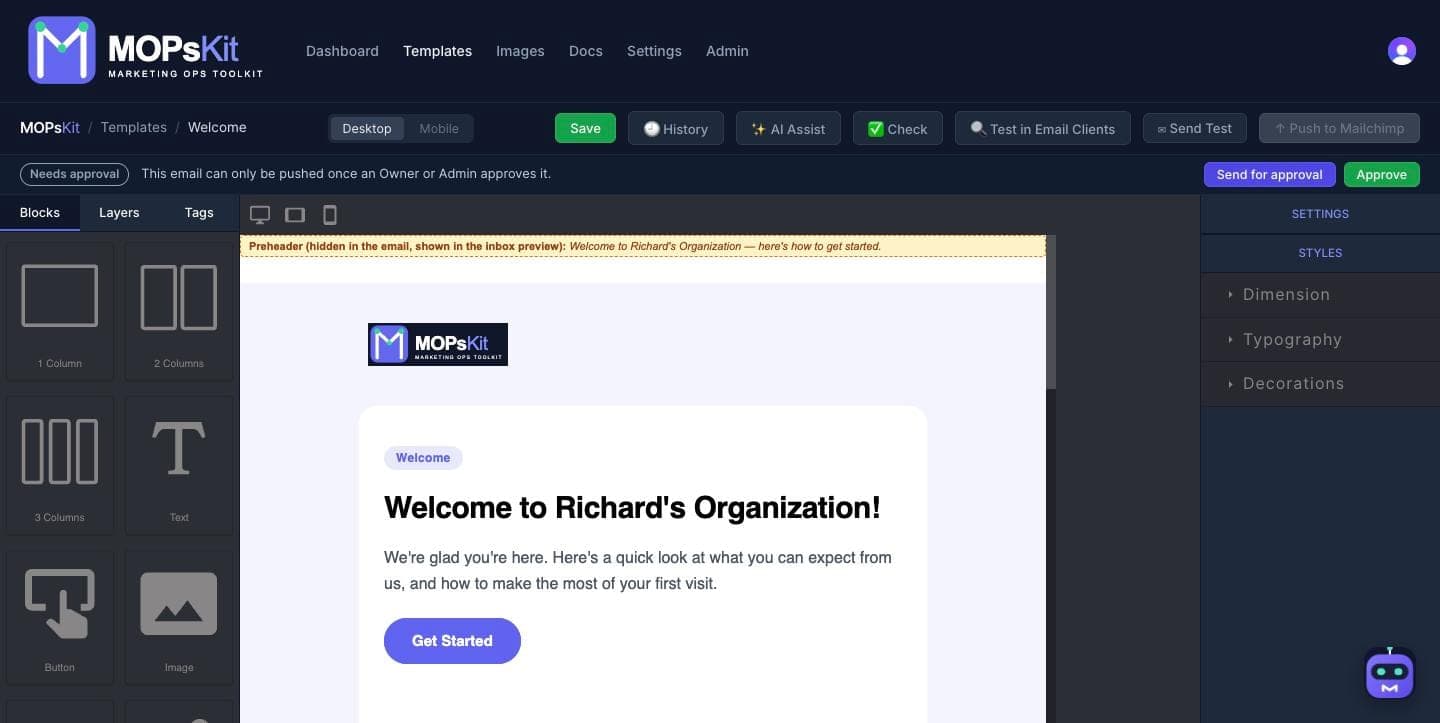
From your brand to Mailchimp in three steps
Connect Mailchimp
Create an API key in Mailchimp under Profile → Extras → API keys and paste it into MOPsKit once.
Build your email
Your starter templates arrive in your logo and colors. Change anything with drag and drop, or ask AI Assist for the copy.
Push in one click
Send the finished email to Mailchimp from the editor. MOPsKit checks links, images and merge tags first.
Two ways it lands in Mailchimp
As a Mailchimp template
Saved to your Mailchimp template library, ready to pick when you build a campaign.
As a draft campaign
Choose the audience, subject line, from name and reply-to, and it lands in Mailchimp as a draft ready to review and send.
MOPsKit never sends anything. Templates and drafts wait in Mailchimp until you send them.
Mailchimp merge tags, added for you
Pick a tag in the editor and it's written in Mailchimp's own format.
| Inserts | Mailchimp tag |
|---|---|
| First name | *|FNAME|* |
| Last name | *|LNAME|* |
| *|EMAIL|* | |
| Mailing address | *|LIST:ADDRESSLINE|* |
| Unsubscribe link | *|UNSUB|* |
| Update preferences | *|UPDATE_PROFILE|* |
| View in browser | *|ARCHIVE|* |
Also included
Templates in your brand
12 starters with your logo and colors, on every plan.
Pre-send check
Broken links, missing alt text and stray merge tags caught before every push.
Import what you have
Bring emails from Beefree, RGE Studio, Stripo, Unlayer or MJML.
AI copy and Mo
Copy from a brief with your own AI key. Mo builds whole emails on Pro and Business.
Mailchimp questions
Does MOPsKit send my emails?
No. MOPsKit puts the template or draft campaign into your Mailchimp account, and you review and send it from Mailchimp as usual.
Which MOPsKit plan do I need for Mailchimp?
Pushing to Mailchimp is on every paid plan, from Starter at $25 a month. On the Free plan you can export the HTML and paste it into Mailchimp yourself.
Where do I find my Mailchimp API key?
In Mailchimp, go to Profile → Extras → API keys and create a key. Copy it straight away, because Mailchimp only shows it once. New keys expire after one year, so reconnect in MOPsKit when yours does.
Do I have to type Mailchimp merge tags myself?
No. The editor's Tags panel adds them in Mailchimp's format in one click, and the pre-send check flags any tag Mailchimp won't fill in.
What if I move away from Mailchimp later?
Connect your new email platform and your templates' merge tags switch to its format automatically, so you don't rebuild anything.
Your first branded Mailchimp email, in minutes
Free to start, no card needed. Push to Mailchimp from $25 a month.