
Works with HubSpot
HubSpot email templates, branded for your business
Start from templates already in your logo and colors, edit them with drag and drop, then push them straight into HubSpot as a marketing email.
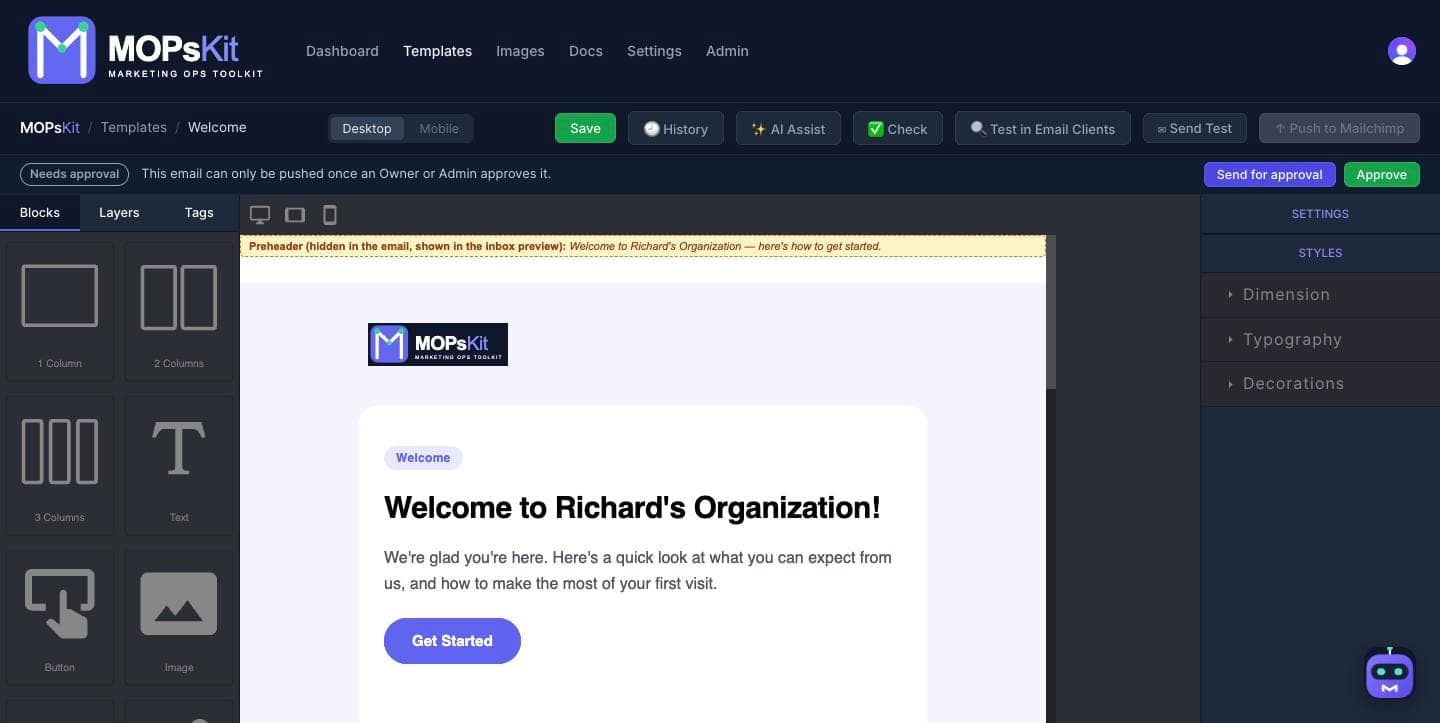
From your brand to HubSpot in three steps
Connect HubSpot
Create a service key in HubSpot with the content scope and paste it into MOPsKit once.
Build your email
Your starter templates arrive in your logo and colors. Change anything with drag and drop, or ask AI Assist for the copy.
Push in one click
Send the finished email to HubSpot from the editor. MOPsKit checks links, images and merge tags first.
How it lands in HubSpot
As a HubSpot marketing email
Lands in HubSpot as a draft marketing email, with your text, images and buttons as separate modules you can keep editing in HubSpot's drag-and-drop editor. Add the subject line and recipients in HubSpot, then send.
MOPsKit never sends anything. Templates and drafts wait in HubSpot until you send them.
HubSpot merge tags, added for you
Pick a tag in the editor and it's written in HubSpot's own format.
| Inserts | HubSpot tag |
|---|---|
| First name | {{ contact.firstname }} |
| Last name | {{ contact.lastname }} |
| {{ contact.email }} | |
| Company name | {{ site_settings.company_name }} |
| Unsubscribe from all | {{ unsubscribe_link_all }} |
| Unsubscribe / preferences | {{ unsubscribe_link }} |
| View in browser | {{ view_as_page_url }} |
Also included
Templates in your brand
12 starters with your logo and colors, on every plan.
Pre-send check
Broken links, missing alt text and stray merge tags caught before every push.
Import what you have
Bring emails from Beefree, RGE Studio, Stripo, Unlayer or MJML.
AI copy and Mo
Copy from a brief with your own AI key. Mo builds whole emails on Pro and Business.
HubSpot questions
Does MOPsKit send my emails?
No. MOPsKit creates a draft marketing email in your HubSpot account, and you review and send it from HubSpot as usual.
Which MOPsKit plan do I need for HubSpot?
Pushing to HubSpot is on every paid plan, from Starter at $25 a month. On the Free plan you can export the HTML and paste it into HubSpot yourself.
How do I connect HubSpot?
A HubSpot Super Admin, or a user with Developer tools access, goes to Development → Keys → Service keys and clicks Create service key. Add the content scope, create the key, and copy it into MOPsKit straight away, because HubSpot only shows it once. If you rotate the key later, paste the new one in.
Can I edit the email in HubSpot afterwards?
Yes. Emails you've edited in MOPsKit arrive as separate text, image and button modules in HubSpot's drag-and-drop editor, so you can tweak them there without touching HTML.
What about HubSpot's unsubscribe footer?
HubSpot adds its own required footer to every marketing email. Your company details and unsubscribe links come from your HubSpot settings, and the editor's Tags panel adds HubSpot's tokens if you want them elsewhere in the email.
Do I have to type HubSpot personalization tokens myself?
No. The editor's Tags panel adds them in HubSpot's format in one click, and the pre-send check flags any token HubSpot won't fill in.
Your first branded HubSpot email, in minutes
Free to start, no card needed. Push to HubSpot from $25 a month.